
Send your first email with Thunk Mail in one 45-minute workshop.
For anyone who's been putting off sending their first email. It's free, every other Wednesday, and someone from our team walks you through each step.
The Send-along
What happens in 45 minutes
Follow along in your own Thunk Mail account and leave with your email sent, or just watch and ask questions as you go. Either way, the host shows each step on screen.
Import your contacts
Upload a spreadsheet of names and email addresses and add them to a list. If someone appears twice, Thunk Mail keeps one copy, so nobody gets your email twice.
Build your email
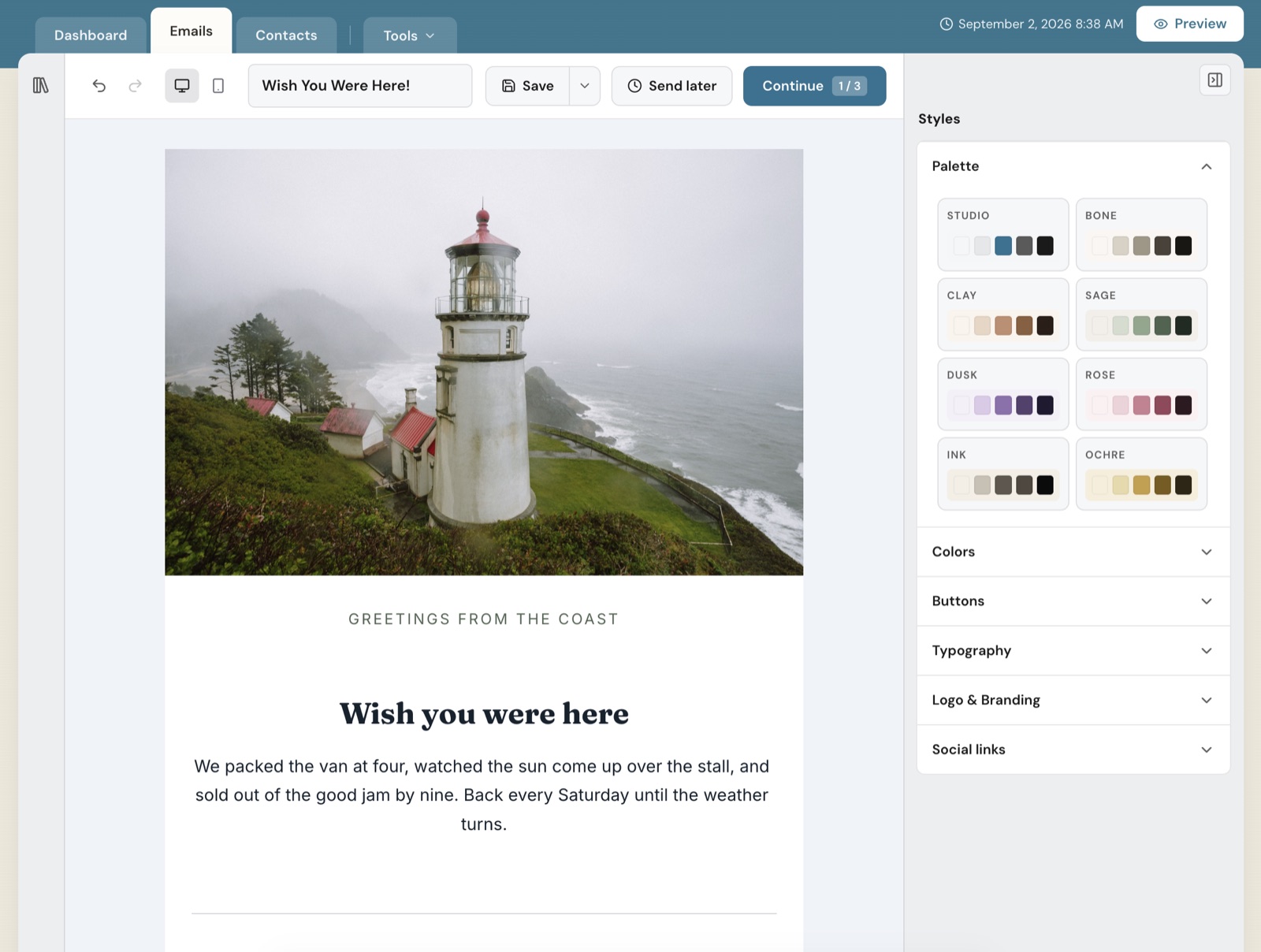
Start from a template, add your words and images, and check how it looks on a phone and on a desktop.
Send it
Send a test to yourself first, then send to your list or schedule it for later. Every email includes an unsubscribe link, and Thunk Mail stops sending to anyone who uses it.
Read the results
Opens, clicks and unsubscribes show up on the stats page as they arrive.
What to expect
Your host is from our team, which has worked in email for over 20 years.
Cameras and microphones are optional. Ask questions out loud or in the chat at any time.
There's no sales pitch. If you have questions about plans, ask and we'll answer them.
Following along? Bring your contacts as a spreadsheet. Moving from another tool? Export your list before the workshop and we'll import it together.
Rather practice first? Send the email to yourself instead of your list.
Questions
Do I need a Thunk Mail account?
To send along, yes. Plans start at $7 a month. Create one before the workshop so you're ready to go. If you'd rather just watch, you don't need one.
Will there be a recording?
No. Every workshop is live only. If you miss a workshop, join the next one.
Do I need to install Zoom?
No. Zoom runs in your web browser, so the app is optional.
What if Wednesdays don't work for me?
Chat with our team instead. Live chat is open Monday to Friday, 6:30am to 9:30pm PST.
Something else? Talk to a human.
Save your seat
Every other Wednesday at 12pm Pacific, for 45 minutes on Zoom. Every workshop is live, so pick a Wednesday you can make. You get the Zoom link as soon as you register.
Who it's for
- You've been meaning to start a newsletter and keep putting it off.
- You just opened an account and want help sending your first email.
- You're choosing an email platform and want to see Thunk Mail in action before you sign up.